
Ask questions on your data
- Begin by entering your email in the chatbot to verify your identity.
- Download these two samples for use in the demo: resume.pdf, hrdata.csv
- Upload both files one by one through the chatbot, and then ask relevant sample questions provided below.
- Improve answers by editing the task specific prompt.
- create a list of the skills that applicant has
- extract key entities
- Q:which colleges did the applicant attend ? (note the Q: prefix for RAG)
- summarize the resume
- create a job description from the resume
- which department and position has the most satisfaction score ?
- what is the distribution of employees by their martial status ?
- find the max, min and average salary of a software engineer
- which position has the most absences ?
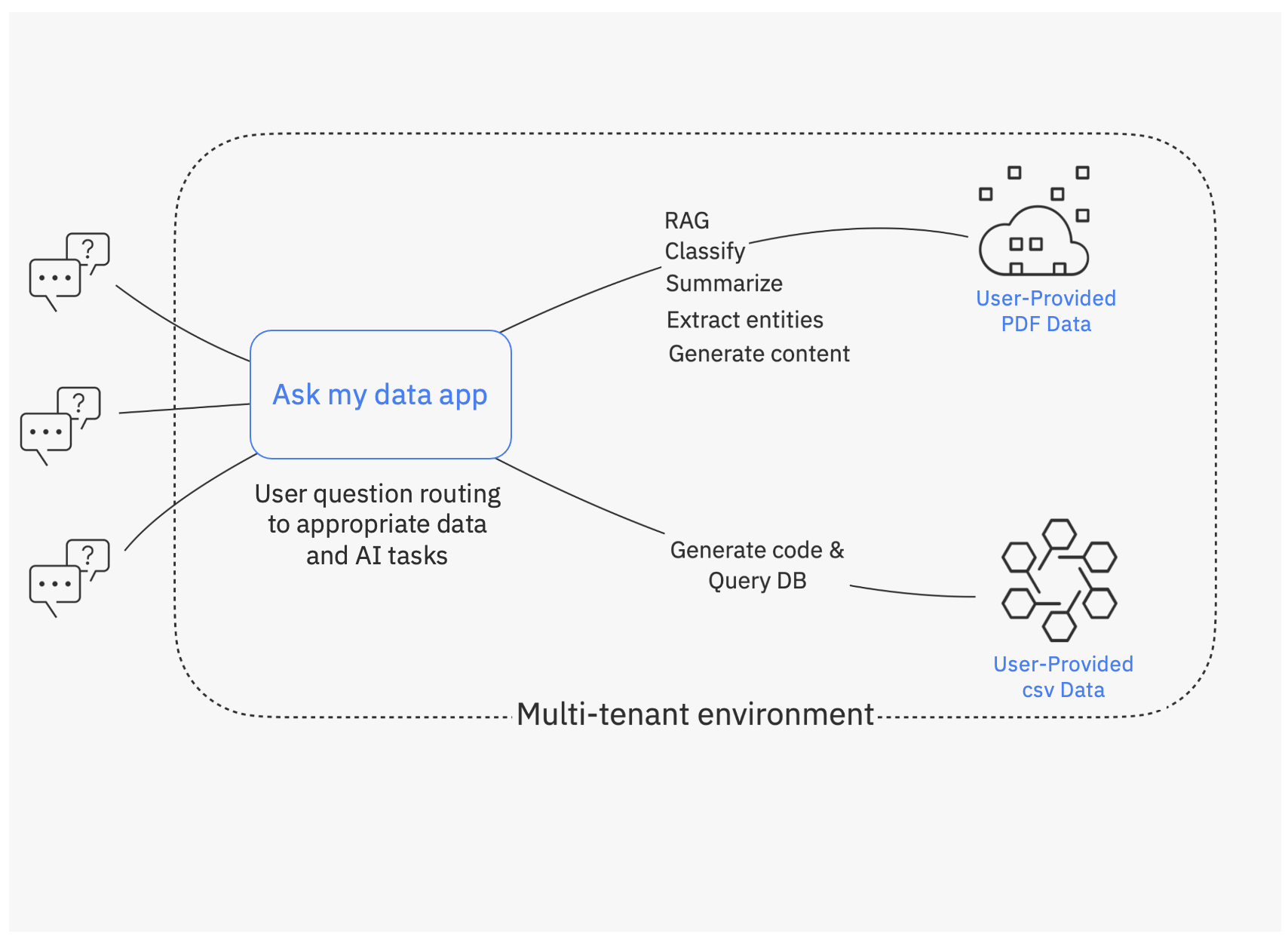
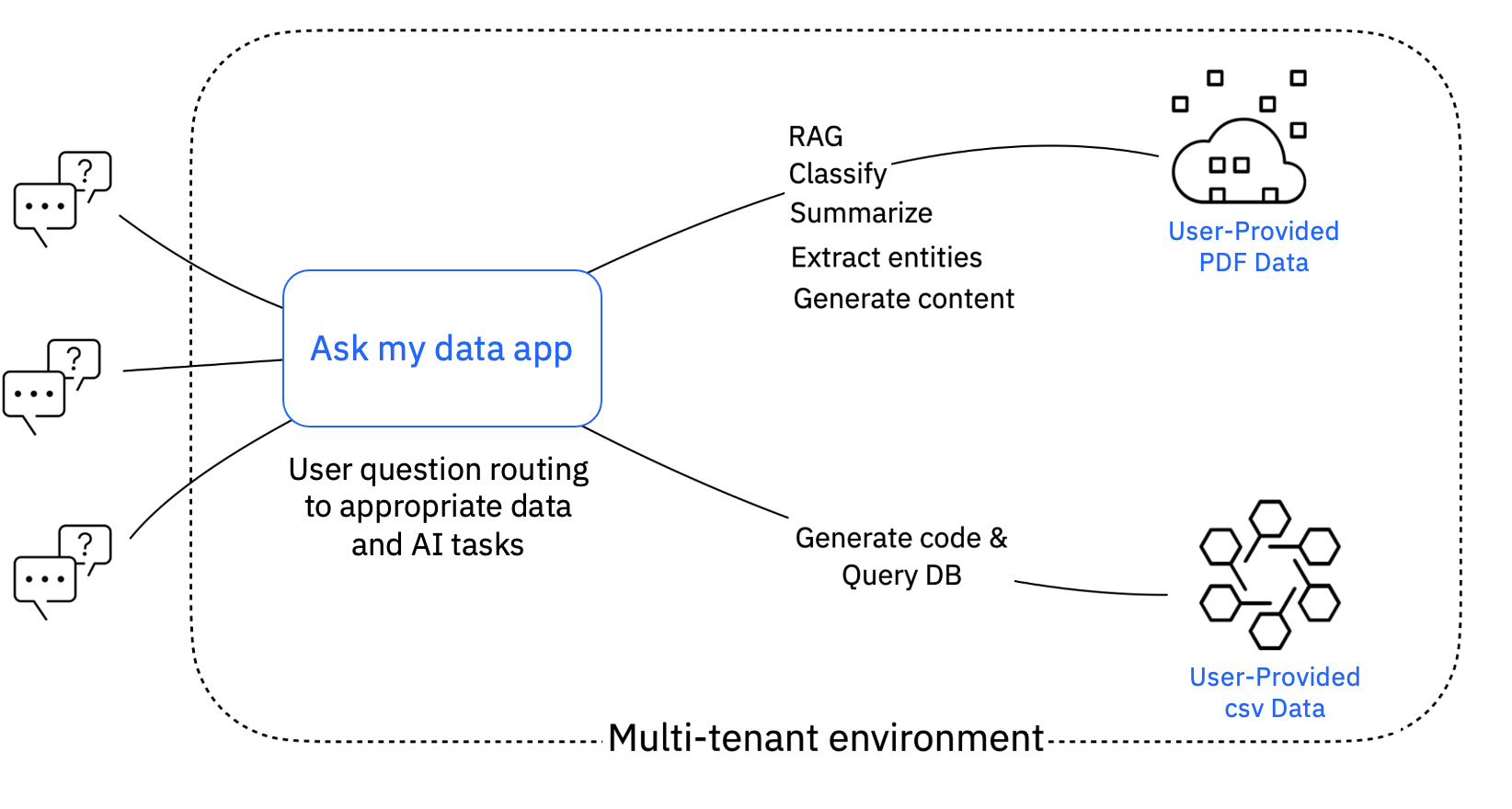
Your PDF and CSV files are stored in a vector DB index and a RDBMS table, respectively. Data and prompts are handled in a multi-tenant backend so that you can work in your private environment with watsonx.ai models and a watsonx Assistant chat interface.
A question on chat is automatically classified to an AI task, which maps to a private prompt that you can edit to improve answers.
As a regular user, add examples as input/output pairs for your private prompt for an AI task. Editing the "instruction:" is optional with default being the question itself.
As an expert user, you can pick the "label_classifier" AI task to improve question to AI task classification with more examples. Optionally edit advanced prompt parameters. A 'Q:' prefix to a question force maps the question to the RAG AI task that uses a vector DB. Try adding some examples to automatically detect RAG and remove the 'Q:' prefix. The source data for RAG and SQL generation tasks are also shown for transparency.
View architecture diagram
Advanced

